CFS Call Flow Studio Get early access

Built for admins, consultants, and support teams

Finally, a better way to visualize call flow.

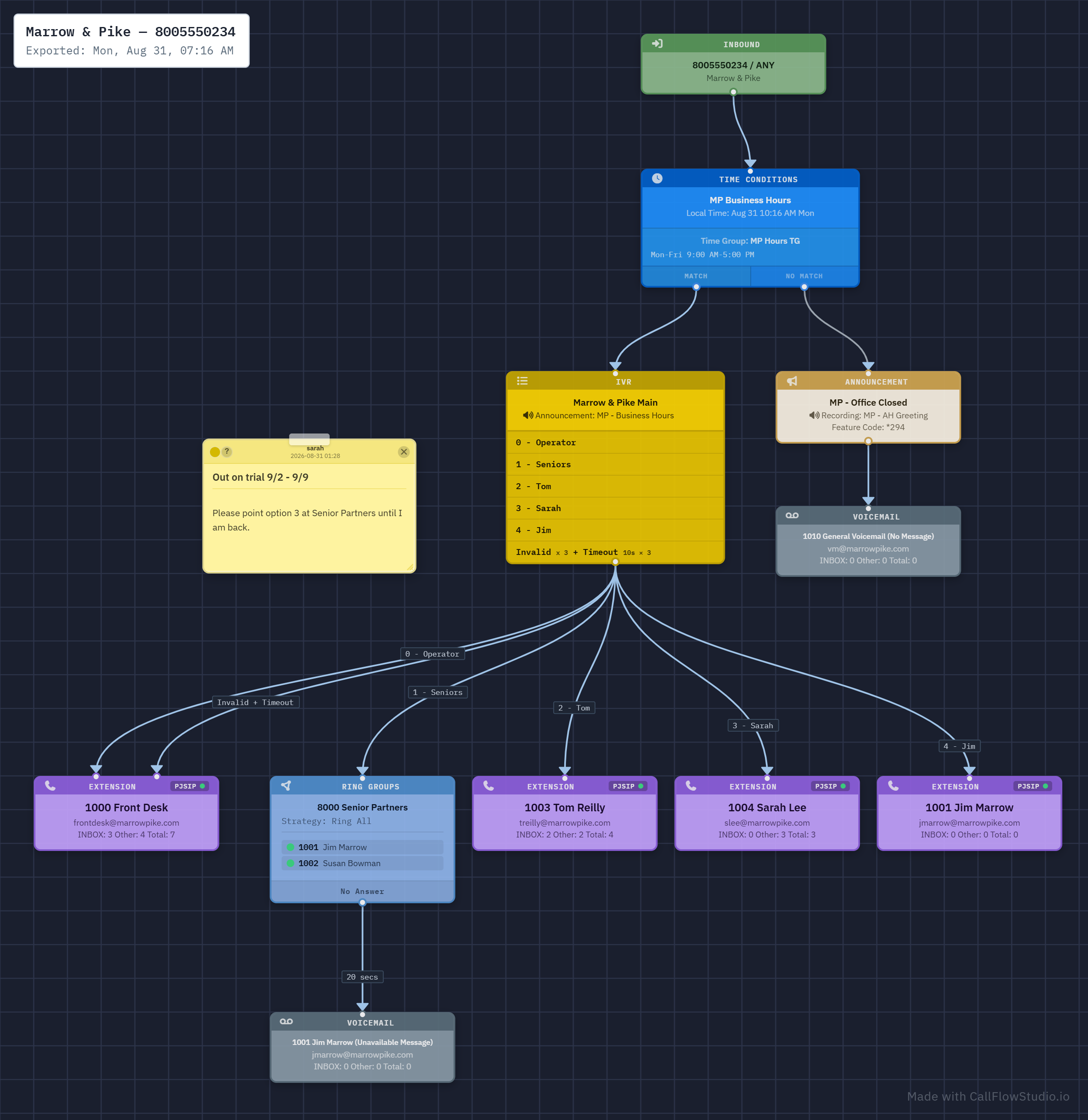
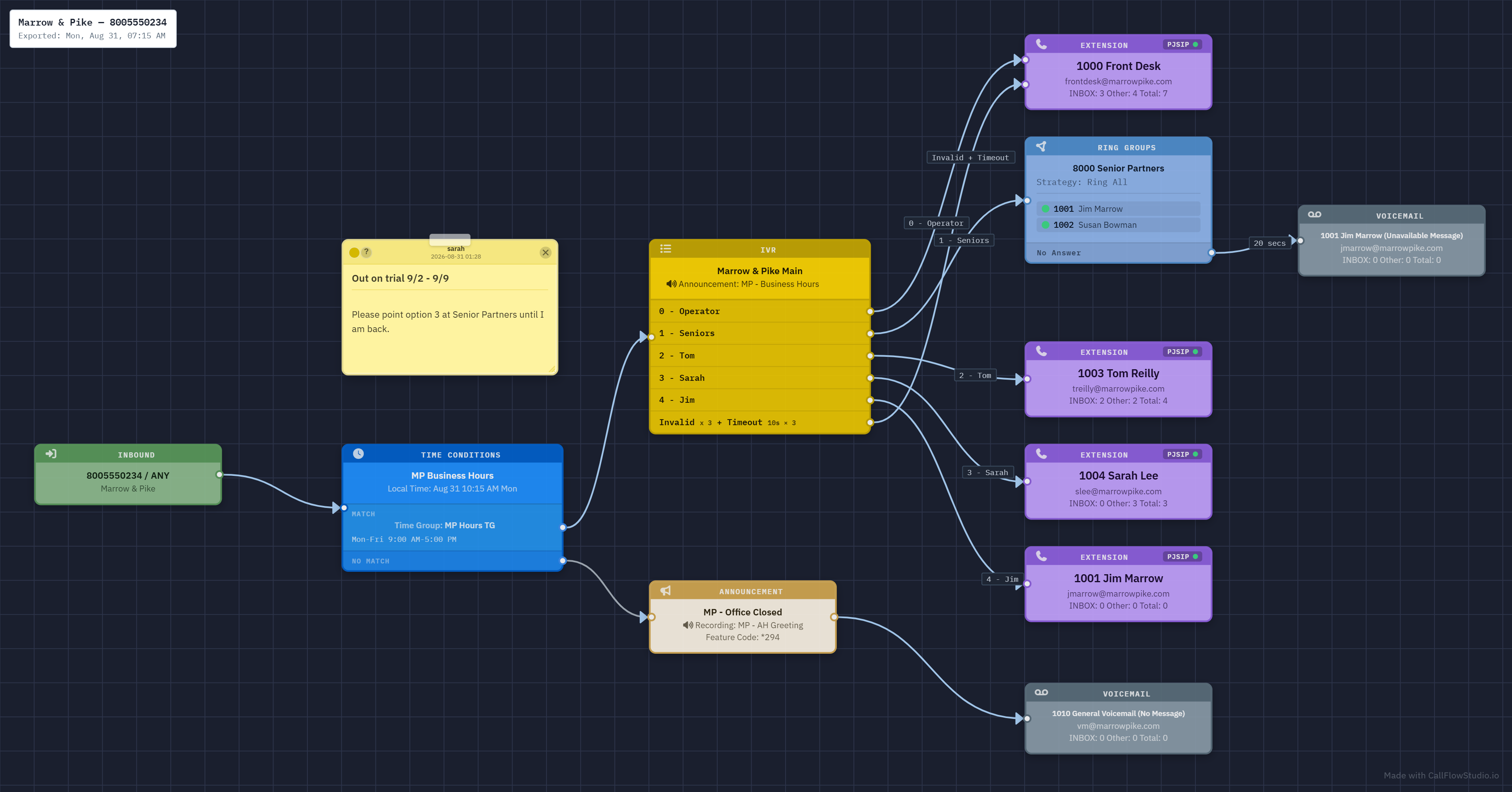
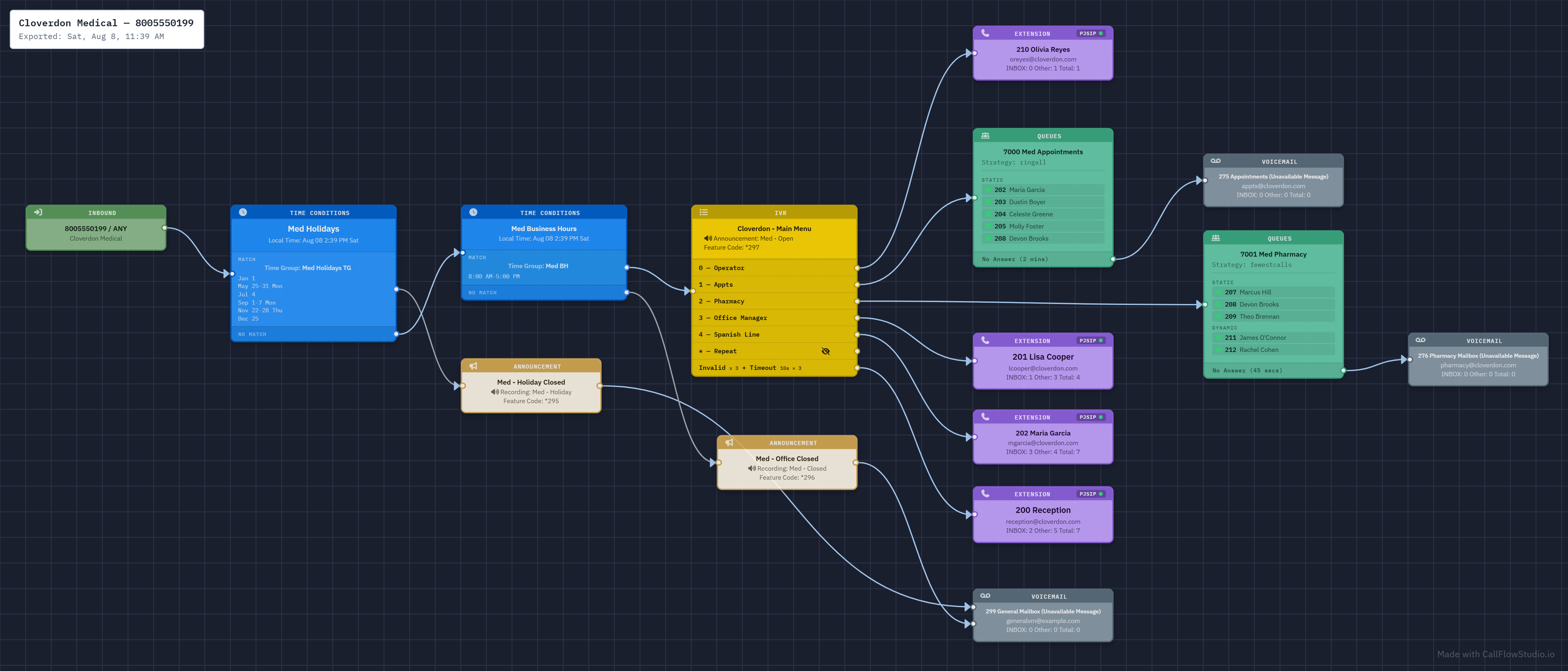
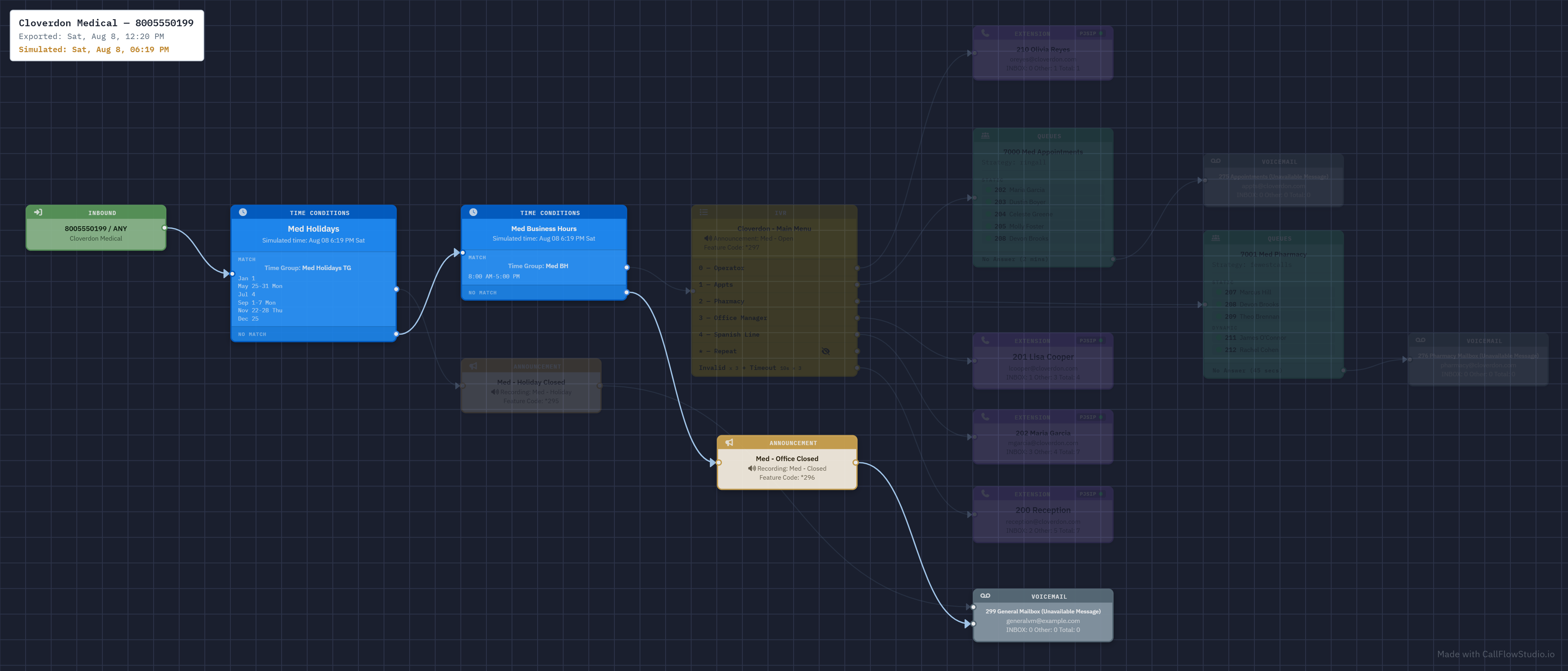
Call Flow Studio turns hidden telephony logic into a visual workspace so you can see where a call starts, where it ends, and what might break before you make the next change.

  • Replace guess-and-test troubleshooting with a clearer system map
  • Help beginners climb the learning curve without slowing down experts
  • Turn tribal call-routing knowledge into something your whole team can actually use
Studio preview
Inbound Main DID (555) 010-2400
IVR Business Hours Sales / Support / Billing
Queue Support Tier 1 12 agents available
Condition After Hours Fallback voicemail path
One visual workspace

for routes, IVRs, queues, ring groups, conditions, and destinations

Faster onboarding

for the next admin, engineer, or client who inherits the system

Safer change management

when you need to understand consequences before editing production routing

What it is

A visual layer for call routing that people can actually understand.

Designed around the real pain of telephony administration: too many screens, too much hidden logic, and too much risk when making changes under pressure.

Map the entire call path

Understand how inbound routes connect to IVRs, ring groups, queues, time conditions, announcements, voicemail, feature codes, conferences, and more without tracing them by hand.

Troubleshoot without blind spots

Surface dead ends, circular paths, unreachable destinations, and hidden dependencies before they become support tickets or broken customer journeys.

Explain the system to humans

Give clients, teammates, and future admins a shared picture of the phone system instead of a maze of screenshots and verbal handoffs.

New direction

A platform for understanding operational call logic.

The current work proves the need. Call Flow Studio is the next step: a product direction that can grow from in-system visualization into documentation, collaboration, audits, exports, and change planning for teams that manage real production voice environments.

Today
  • Visual tooling shaped by real-world dial-plan and routing pain
  • Useful for troubleshooting, onboarding, and quick understanding
  • Strong technical credibility from hands-on operational work
Where it can go
  • Hosted product site, docs, demos, and guided onboarding
  • Saved views, audit-ready exports, and shareable client reports
  • A clearer brand for understanding call systems across multiple platforms

Why now

Phone systems still matter, but the tooling still leaves too much invisible.

The operational cost of not understanding a production call flow is huge: missed calls, bad customer experiences, risky edits, and slow incident response.

Without Call Flow Studio
  • Trace routes across scattered admin pages and raw config logic
  • Depend on one person who "just knows the system"
  • Ask the same questions every time a change is needed
With Call Flow Studio
  • See where calls start, branch, stop, and fall back
  • Share one visual source of truth with your team
  • Troubleshoot and plan changes with more confidence

Built for both

Useful when you are new to the system and still valuable when you know it inside out.

Beginners need a way to understand the logic without drowning in menus. Experienced admins need faster answers when a mature system has hidden complexity. The same visualization helps both groups from different angles.

For new admins

Reduce the learning curve by showing how routes, conditions, and destinations fit together in one navigable picture.

For experts

Move faster through complex environments where even experienced operators still run into edge cases, inherited logic, and "what if" changes.

For consultants and teams

Turn discoveries into a shared artifact you can review with clients, stakeholders, and support staff instead of explaining everything from memory.

How it works

From raw call-routing configuration to an understandable map.

01

Read the system

Import route and destination data from the underlying phone system so the real configuration drives the view.

02

Render the relationships

Turn menus, conditions, queues, and transfers into a connected visual graph your team can inspect.

03

Use it to make better decisions

Audit the current state, explain behavior, and plan changes with less guesswork and fewer surprises.

What to highlight

Concrete capabilities that make the product feel real.

Strong messaging works better when it is anchored to visible, practical features administrators already wish they had.

Interactive exploration

Pan, zoom, highlight paths, and inspect routing visually instead of piecing together behavior from scattered screens.

Shareable outputs

Support sanitized views and export-friendly outputs so diagrams can be shared safely with clients, teams, and public examples.

Operational visibility

Create room for live state indicators like registration, forwarding, DND, paused agents, and queue membership where that context matters.

Roadmap potential

A site that can grow alongside the product.

This homepage can promote the current product direction while also setting up a broader roadmap that feels credible and commercially useful.

Demo-driven marketing

Add animated walkthroughs, real screenshots, and guided scenarios that show why visual call-flow tooling matters in the first 30 seconds.

Documentation and install guides

Turn the site into the canonical home for setup steps, feature explanations, release notes, and support resources.

Commercial positioning

Create room for premium support, enterprise reporting, hosted collaboration, or future integrations without abandoning the open-source roots.

Build the brand around a bigger category.

This first version gives callflowstudio.io a real public identity now and leaves room to evolve into product docs, demos, platform support pages, release notes, and early access for whatever comes next.